Elimvia LMS / College

College LMS

Coordinate courses, departments and academic periods

Colleges coordinate programmes, departments, intake cycles, academic periods, lecturers and student records. Explore how to structure administrative workflows from admission through assessment, progression and completion without assuming that all institutions follow the same calendar or qualification model.
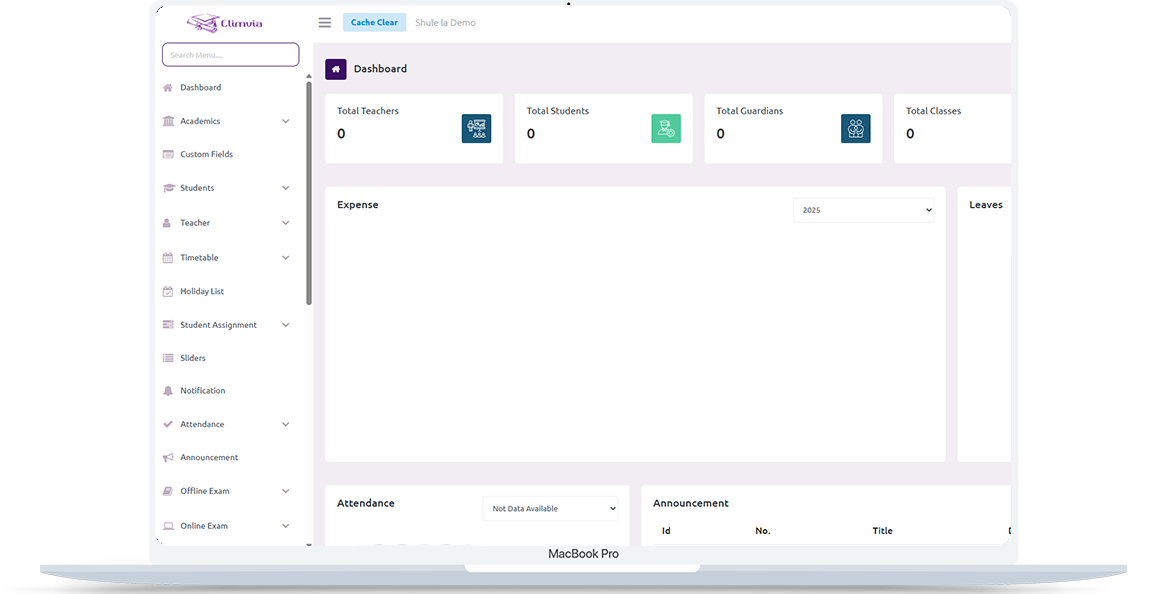
Elimvia LMS school management dashboard shown on a laptop

Understanding College LMS

Improve visibility into programme administration, semester-based teaching, examination organisation, financial records and staff coordination. This is an information page about the intended level-specific workflows; module availability depends on the active Elimvia release and school setup.

Who It Is For

Colleges, tertiary institutions and professional training centres

Academic or Training Structure

College and tertiary education

The Goal

Improve visibility into programme administration, semester-based teaching, examination organisation, financial records and staff coordination.

Important College Workflows

The following areas explain the administrative and academic needs this LMS level is designed to support. Features being customised are not represented as already deployed.

Programmes and departments

Organise academic programmes, course catalogues, departments and admission requirements.

Admissions and registration

Maintain applicant-to-student records, enrolment status, programme allocation and student profiles.

Academic periods and timetables

Plan terms or semesters, teaching sessions, subject or unit schedules and lecturer allocations.

Examinations and results

Structure assessment plans, academic records, grading and results workflows according to institutional policies.

Student administration

Manage student communication, attendance where relevant, assignments and available progress reports.

Financial and staff records

Coordinate fee structures, billing, payments, staff roles and relevant reporting.

A Typical Institution Workflow

A practical view of how an institution might organise operations from initial setup to regular reporting. Exact steps and menus vary by the modules enabled.

01

Configure programmes

Define departments, programmes, academic calendar and staff permissions.

02

Admit and register students

Place students within academic programmes and relevant teaching groups.

03

Run academic activities

Coordinate teaching, assessments, examinations and course participation.

04

Produce institutional reports

Review academic and financial records within authorised workflows.

Who Uses College LMS?

Different user roles have different responsibilities and should only access information permitted by their institution.

College management

Controls programmes, admissions, academic periods and institutional reporting.

Lecturers and departmental staff

Manage course delivery, attendance or assessment records and student communication.

Students

Access permitted course information, notices and available results.

College In Practice

A realistic example of the decisions an institution needs to make. This describes a recommended workflow, not a claim that every module is currently released.

Following one student through a semester

A college opens an intake and registers learners against a specific programme and academic period. Department staff allocate lecturers and units, while the timetable reflects the institution’s actual teaching arrangements.

Throughout the period, lecturers record approved coursework and assessments. Programme coordinators review progress and incomplete records before any result is approved or issued. Finance and registrar teams use their own authorised views; official certificates and transcripts require the institution’s verified procedures.

Four questions worth answering

  • Are programmes semester-based, term-based or organised in another way?
  • Which departments own courses, units and assessment approvals?
  • What progression rules apply when a student repeats or defers a unit?
  • Who has authority to approve and publish official academic documents?

Records & Reporting Priorities

College reporting depends on precise relationships between programmes, academic periods, courses, staff and students. These are planning priorities; confirm which reports and record types your deployed LMS modules support.

Programme and enrollment

Create consistent academic identities and structures.

  • Programmes, departments, intakes and terms
  • Student registrations and unit enrollments
  • Transfers, deferments and completion status

Academic delivery

Coordinate work from teaching to results review.

  • Lecturer allocations and timetables
  • Coursework, examinations and moderation notes
  • Assessment approvals and academic progress

Administration and reporting

Provide controlled data to the right office.

  • Student fees and approved receipts
  • Enrolment and progression summaries
  • Transcript and completion requests requiring verification
Elimvia LMS web administration interface

Plan College Structures Before Importing Students

Map departments, programmes, intakes, academic periods, course units and registrar responsibilities first. Confirm how continuing students, re-sits, deferments and programme changes are represented.

Demonstrate result approval and permissions using test data. Do not publish academic records or promise official transcript functionality until the installed LMS modules and institutional policies have been verified.

College operates as a separate Elimvia LMS environment; its data and sessions are not shared with Vocational or school-level LMS applications.

Visit Elimvia LMS

Frequently Asked Questions

Answers about the College education level, institution onboarding and functionality.

Does College support semester structures?

Semester-oriented administration is part of the College target workflow, subject to the academic configuration and deployed release.

Can it handle several departments?

The intended design accounts for programme and departmental administration. Review supported configuration during onboarding.

Are official transcripts available?

Do not assume official transcript generation is available until the College customization and validation are complete.

Can College share login sessions with Primary?

No. Education-level authentication, session state and API configuration remain isolated.

What is the difference between a programme and a unit?

A programme is the overall course of study or qualification track; units or modules are the teachable and assessable components, organised according to the college’s approved structure.

How should repeat units and deferments be handled?

The institution should define the academic status and approval rules for repeats, deferrals, transfers and re-sits before configuring reports or importing historical results.

Are transcripts and certificates generated automatically?

Do not assume so. Official academic documents require verified institutional authorization, approved results, and confirmation that the current Elimvia release supports the desired workflow.

Explore Other LMS Levels

Choose the education environment that matches your institution. Each level has its own academic focus.

Practical Planning Guide

Define programmes, units, semester enrollment and results-approval workflows.

Prepare College Academic Administration

Guidance only; confirm available LMS features before deployment.

Explore College LMS for Your Institution

Tell us about your institution, the courses or grades you manage and the academic and administrative workflows you need. We can explain the available release and onboarding options.

Contact Elimvia
LTR RTL