Elimvia LMS / Vocational

Vocational LMS

Organise practical, competency-oriented training

Vocational training is structured around occupations, practical work and the evidence that a trainee can perform defined tasks. Explore how training centres might organise competency units, workshops, instructors, assessments and learner progress while keeping accreditation and certification decisions with authorised bodies.
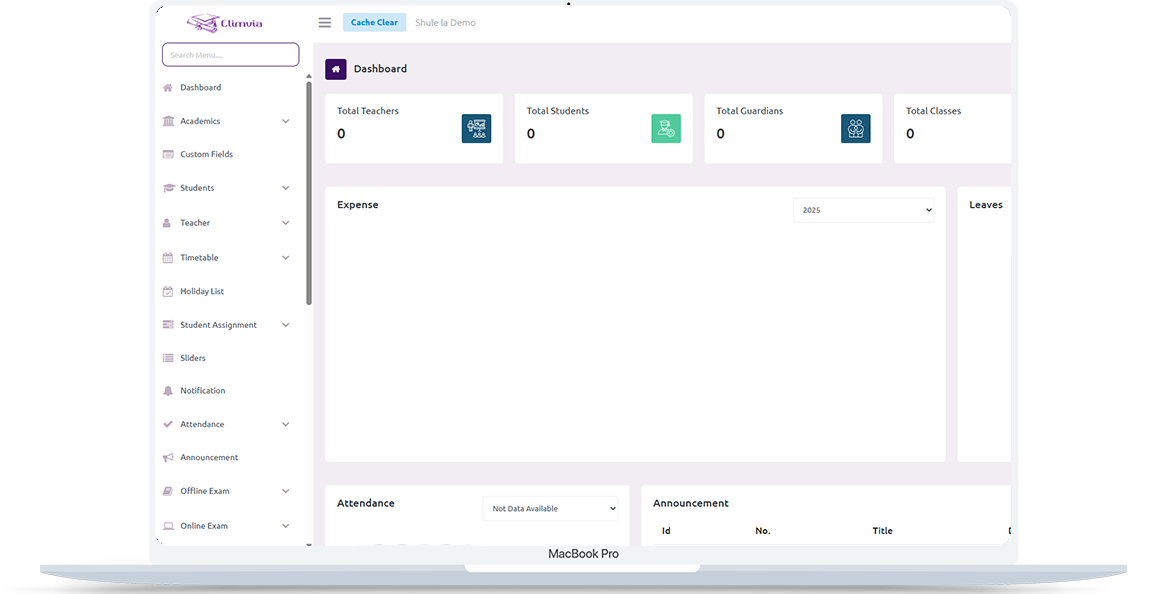
Elimvia LMS school management dashboard shown on a laptop

Understanding Vocational LMS

Help institutions organise trainees, programmes, practical sessions, trainer allocation and evidence of progress toward defined skill competencies. This is an information page about the intended level-specific workflows; module availability depends on the active Elimvia release and school setup.

Who It Is For

Vocational training centres, skills academies and institutions offering practical programmes

Academic or Training Structure

Vocational and skills training

The Goal

Help institutions organise trainees, programmes, practical sessions, trainer allocation and evidence of progress toward defined skill competencies.

Important Vocational Workflows

The following areas explain the administrative and academic needs this LMS level is designed to support. Features being customised are not represented as already deployed.

Programme and competency units

Define vocational programmes, learning units or competencies and the institution’s assessment structure.

Trainee enrollment

Maintain trainee profiles, programme assignments, cohorts and registration records.

Workshops and practical schedules

Organise practical sessions, instructors, workshop calendars and learning activities.

Competency evidence

Capture assessor observations, practical work and progress records in the academic customization workflow.

Trainers and administrative teams

Allocate trainers, clarify staff roles and coordinate trainee communication.

Fees and institutional reports

Support programme billing, receipts, basic financial oversight and operational reports where enabled.

A Typical Institution Workflow

A practical view of how an institution might organise operations from initial setup to regular reporting. Exact steps and menus vary by the modules enabled.

01

Define practical programmes

Organise vocational programmes, units, cohorts, terms and authorised staff.

02

Enrol trainees and allocate trainers

Capture learner records and connect them to the relevant programmes and groups.

03

Record practical activity

Document attendance, workshops and competencies using the configured academic workflow.

04

Review training outcomes

Prepare trainee progress summaries and relevant internal reports.

Who Uses Vocational LMS?

Different user roles have different responsibilities and should only access information permitted by their institution.

Institution administrators

Manage programmes, trainees, schedules, financial records and user permissions.

Trainers and assessors

Maintain teaching plans, workshop attendance and practical assessment evidence.

Trainees

Access relevant programme updates, assignments and enabled progress records.

Vocational In Practice

A realistic example of the decisions an institution needs to make. This describes a recommended workflow, not a claim that every module is currently released.

From workshop task to competency evidence

An instructor plans a practical workshop session against the competency unit the cohort is studying. Before training starts, the centre checks the relevant tools, safety practices, trainer responsibilities and learner attendance.

During and after the activity, evidence may include observation notes, completed work, assessor feedback and actions needed before reassessment. Training administrators need a coherent trail across units and periods, rather than relying on a single final written examination.

Four questions worth answering

  • Which occupational standards and competency units apply to the programme?
  • What tools, workshops and safety arrangements does each practical activity require?
  • How will evidence, feedback and reassessment attempts be recorded?
  • Which assessment and certification decisions require authorised external bodies?

Records & Reporting Priorities

Competency-based training benefits from a clear, traceable record of the task, evidence, assessment decision and the people involved. These are planning priorities; confirm which reports and record types your deployed LMS modules support.

Programmes and competency units

Start from the centre’s approved training structure.

  • Occupation and programme identifiers
  • Competency units and training schedules
  • Trainer assignments and workshop resources

Practical evidence

Capture what was demonstrated and under what conditions.

  • Practical task and observation records
  • Assessment criteria, feedback and evidence files
  • Reassessment requirements and follow-up actions

Training and institutional oversight

Keep progress meaningful and appropriately authorised.

  • Attendance and completed learning activities
  • Trainee progress by competency unit
  • Assessment approval, attachment and completion records
Elimvia LMS web administration interface

Plan Competency-Based Training Carefully

Begin with the curriculum and occupational standards that your institution is authorised to deliver. Define competency units, practical assessment evidence, staff roles and the safeguards required for workshop records.

Verify the deployed release against your CBET assessment and reporting needs. Elimvia does not itself confer accreditation, validate occupational standards, issue national qualifications or replace mandated assessment authorities.

Vocational uses its own Elimvia LMS environment; it is distinct from the College environment even where both serve post-school learners.

Visit Elimvia LMS

Frequently Asked Questions

Answers about the Vocational education level, institution onboarding and functionality.

Is Vocational the same as College?

No. Vocational emphasises practical learning and demonstrated competencies; College focuses on programme, department and semester-based administration.

Which institutions are the best fit for Vocational LMS?

Vocational LMS is intended for skills-training centres, practical-training academies and other institutions that organise programmes around vocational learning and assessment.

Can practical work be assessed?

Competency-based practical assessment is part of the education-level customization scope. Confirm supported functions before deployment.

Does Vocational share a database with College?

No. Vocational runs as an independent LMS education level with isolated backend and authentication settings.

What makes competency evidence different from ordinary examination marks?

Evidence should show what the trainee can do against defined competency criteria, using appropriate observation, task outputs, feedback and reassessment records.

Does Elimvia itself accredit programmes or issue national qualifications?

No. Accreditation, recognition and certification remain subject to the relevant mandated institutions and applicable procedures.

What should a centre prepare for onboarding?

Prepare programme and competency-unit mappings, trainees, trainers, assessment criteria, workshop resources, existing evidence records and approval responsibilities.

Explore Other LMS Levels

Choose the education environment that matches your institution. Each level has its own academic focus.

Practical Planning Guide

Structure competency units, practical sessions and assessment evidence.

Prepare Vocational Training Records

Guidance only; confirm available LMS features before deployment.

Explore Vocational LMS for Your Institution

Tell us about your institution, the courses or grades you manage and the academic and administrative workflows you need. We can explain the available release and onboarding options.

Contact Elimvia
LTR RTL