Elimvia LMS / Primary
Primary school teams coordinate Grades 1–6, learning areas, class teachers, continuous assessment and regular family communication. Explore how to organise pupil records and meaningful competency-based progress while keeping everyday administration understandable for teachers and parents.
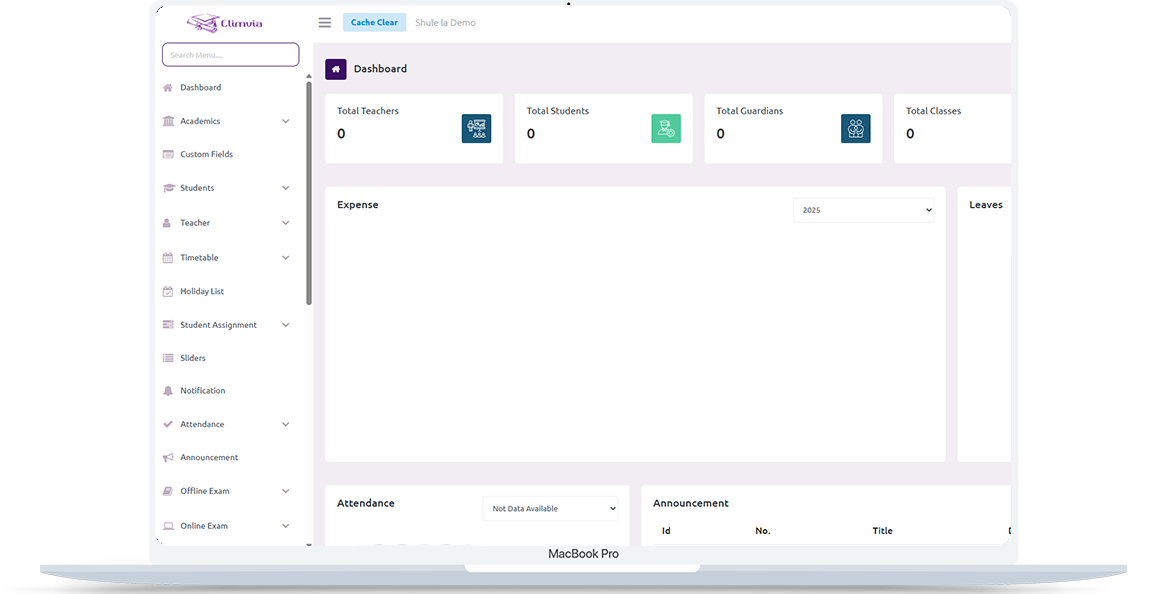
Bring pupil records, learning areas, school routines and reporting into a more consistent administrative structure while retaining a focus on learner progress. This is an information page about the intended level-specific workflows; module availability depends on the active Elimvia release and school setup.
Primary schools and institutions managing Grade 1–6 learners
Primary (Grades 1–6)
Bring pupil records, learning areas, school routines and reporting into a more consistent administrative structure while retaining a focus on learner progress.
The following areas explain the administrative and academic needs this LMS level is designed to support. Features being customised are not represented as already deployed.
Maintain learner and guardian records, grade allocations, admission details and class membership.
Organise grade-level learning areas, teacher assignments, lesson planning and class resources.
Structure evidence of learning, assessment activities and progress summaries in line with the school’s approved approach.
Manage assignments, class participation, daily attendance and follow-up.
Manage invoices, payments, outstanding balances and school-level financial summaries where supported.
Keep guardians informed about announcements, learning activities and available learner reports.
A practical view of how an institution might organise operations from initial setup to regular reporting. Exact steps and menus vary by the modules enabled.
Define grades, classes, terms or sessions and permitted staff roles.
Populate class lists, parent contacts and appropriate learning areas.
Record attendance, assignments, learning activities and assessment evidence.
Prepare class summaries and reports for teachers, school leadership and guardians.
Different user roles have different responsibilities and should only access information permitted by their institution.
Coordinate admissions, academic calendars, staff access, finances and reports.
Manage class records, learner activities, assignments and assessments.
Access selected school updates, progress information and notices.
A realistic example of the decisions an institution needs to make. This describes a recommended workflow, not a claim that every module is currently released.
A Grade 4 teacher plans activities across the assigned learning areas, checks attendance and records classroom evidence alongside homework or assessment tasks. A pupil who has been absent repeatedly is flagged for appropriate follow-up by the school.
At the end of the reporting period, teaching staff review evidence over time, discuss support needs and prepare learner feedback that distinguishes progress from a single examination result. Parents see a school-approved summary and next steps, not unrestricted internal records.
Grade-level records are most useful when they link the right pupil, teacher, learning area and reporting period without creating duplicate data. These are planning priorities; confirm which reports and record types your deployed LMS modules support.
Establish the school register before adding assessments.
Link academic records to the relevant pupil and learning area.
Provide actionable summaries for each audience.

Begin with verified Grades 1–6, streams, learning areas and teacher allocations. Decide which staff can create, review and amend assessment records before importing historical information.
Map reporting templates to the institution’s approved CBE approach, and demonstrate the teacher and guardian views with sample data before extending access widely.
Primary uses a separate Elimvia LMS environment. Check the exact modules and assessment templates available in the installed release.
Visit Elimvia LMSAnswers about the Primary education level, institution onboarding and functionality.
The Primary page focuses on Grades 1–6. Junior and Senior have separate LMS pages and backend environments.
The level’s academic customization is being developed to reflect competency-based workflows; confirm which assessment records are enabled in the current release.
Teacher access and class allocations are managed according to school roles and enabled LMS modules.
Elimvia Learning is a separate product for individual courses. This page describes institution-level management.
Competency-oriented reporting is best supported by evidence collected across activities and reporting periods, alongside teacher judgement and the school’s assessment policy.
Teaching assignments are an important configuration requirement. Confirm how the current LMS release handles each teacher’s classes and permitted records during a demonstration.
Verify pupil identities, grade and stream placement, guardian contact information, academic terms, learning areas and access permissions before any bulk import.
Choose the education environment that matches your institution. Each level has its own academic focus.
Prepare class structures, Grades 1–6 learning areas and assessment evidence.
Guidance only; confirm available LMS features before deployment.
Tell us about your institution, the courses or grades you manage and the academic and administrative workflows you need. We can explain the available release and onboarding options.
Contact Elimvia