Elimvia LMS / Junior
Junior School introduces a more specialised subject and teacher structure for Grades 7–9. Schools must organise learning areas, class schedules, assessment evidence and guidance as learners prepare for senior-school pathways. Explore the administration and reporting needs of this transition.
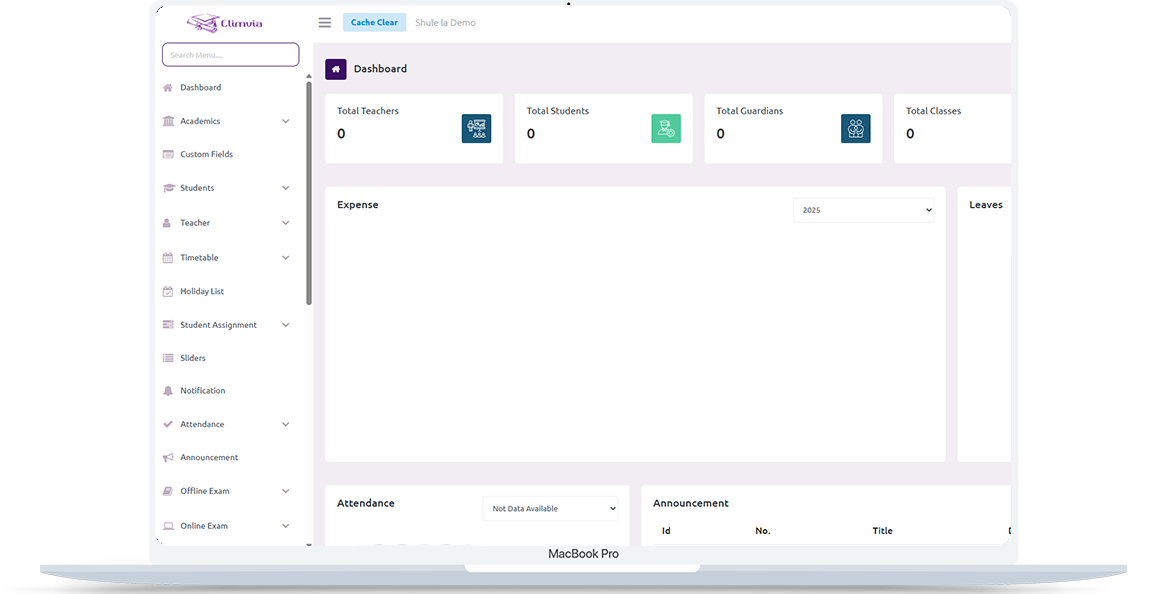
Support clear subject records, teaching responsibilities, attendance, school-based assessments and transparent learner progress information. This is an information page about the intended level-specific workflows; module availability depends on the active Elimvia release and school setup.
Junior schools and institutions offering Grades 7–9
Junior (Grades 7–9)
Support clear subject records, teaching responsibilities, attendance, school-based assessments and transparent learner progress information.
The following areas explain the administrative and academic needs this LMS level is designed to support. Features being customised are not represented as already deployed.
Maintain Grades 7–9, streams, class membership, staff responsibilities and school calendars.
Coordinate learning areas or subjects, teaching allocations, lessons and schedules.
Structure assessment activities, marks or competency evidence as applicable to the institution’s academic rules.
Organise academic tasks, class resources, submitted work and teacher feedback.
Monitor attendance and communicate relevant information to learners and guardians.
Coordinate fees, student records, notices, staff roles and reporting.
A practical view of how an institution might organise operations from initial setup to regular reporting. Exact steps and menus vary by the modules enabled.
Set up school terms, class streams and available subjects.
Connect teacher responsibilities, learner records and class schedules.
Manage assignments, attendance and school-based assessment evidence.
Review performance, progress and administration across the junior school.
Different user roles have different responsibilities and should only access information permitted by their institution.
Manage junior-level settings, admissions, staff and reporting.
Maintain learning activities, assignments and assessment records.
Receive permitted announcements, academic reports and participation updates.
A realistic example of the decisions an institution needs to make. This describes a recommended workflow, not a claim that every module is currently released.
A Grade 8 student works with several teachers during the school week. The timetable, teacher allocations and attendance register need to agree so the same learner is not recorded under conflicting classes or periods.
Teachers gather learning evidence and give feedback on assignments and projects. School leadership reviews academic support needs and follows up with families. In Grade 9, guidance about the next education stage should use appropriately verified performance and learner-interest information.
Junior School needs joined-up teaching information without claiming to replace official national assessment or placement services. These are planning priorities; confirm which reports and record types your deployed LMS modules support.
Keep timetabling tied to the correct learners and staff.
Organise school-held learning evidence for useful review.
Make Grade 9 preparation deliberate and documented.

Confirm your Grades 7–9 structure, learning areas, teaching allocations, timetable rules and assessment approach. Use a pilot group to test how one learner appears across subjects and reporting views.
The LMS should support the school’s internal administration; official national assessment and senior-school placement processes remain with the responsible authorities.
Junior runs in its own Elimvia LMS environment. Validate custom academic workflows and user access before onboarding the full institution.
Visit Elimvia LMSAnswers about the Junior education level, institution onboarding and functionality.
Yes. Junior is a distinct LMS education level with its own intended academic configuration and independent backend.
Yes. This page covers Grades 7, 8 and 9.
The target workflow supports organised assessment records; precise CBE implementation and reporting depend on the completed academic customization.
The institution uses its assigned LMS environment. Portal and Staff login flows select the education level before authentication.
No. This page describes school-level information management. National assessment, school selection and placement follow the responsible Kenyan authorities and their official platforms.
Each learning area may have its own teacher, evidence and feedback. The school should define how these records are reviewed and brought together for useful learner summaries.
Match student identifiers, current grade, subject allocations, historical academic periods, attendance and guardian details before importing or publishing reports.
Choose the education environment that matches your institution. Each level has its own academic focus.
Organise Grade 7–9 learning areas, teaching allocation and assessment workflows.
Guidance only; confirm available LMS features before deployment.
Tell us about your institution, the courses or grades you manage and the academic and administrative workflows you need. We can explain the available release and onboarding options.
Contact Elimvia