Elimvia LMS / Driving

Driving LMS

Manage driver training from enrollment to completion

Driving schools manage learner enrollment, instructor availability, vehicle use, theory preparation, practical sessions and training progress. Explore an operational approach that makes lessons and records easier to coordinate without implying that the LMS issues official licences or replaces regulatory services.
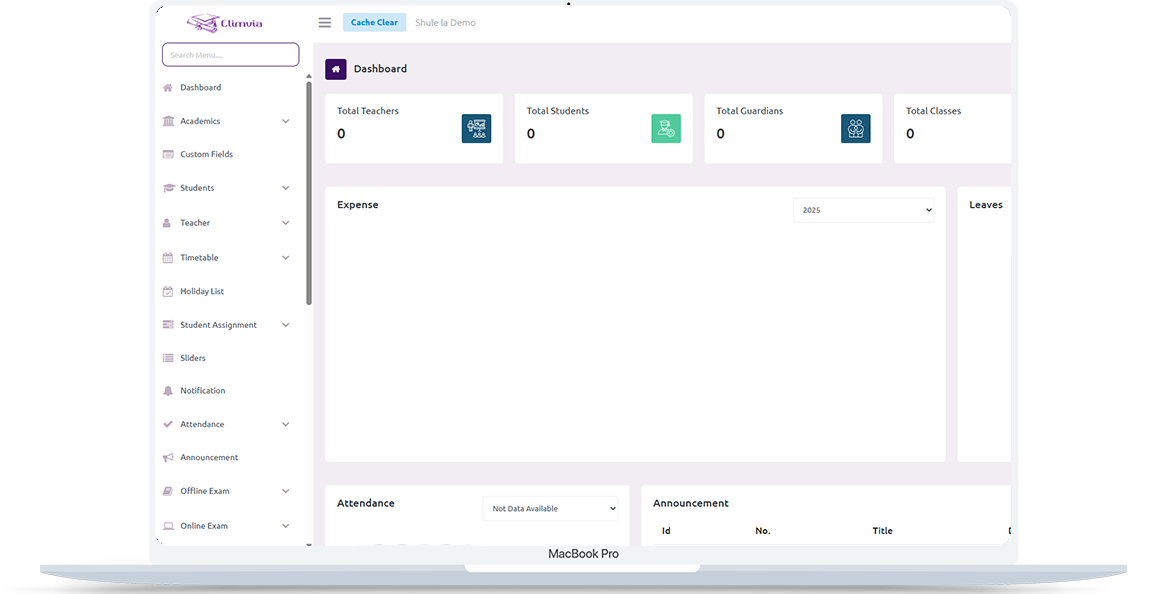
Elimvia LMS school management dashboard shown on a laptop

Understanding Driving LMS

Give managers visibility into learner schedules, instructor allocation, training attendance and fee records without imposing a school-grade structure. This is an information page about the intended level-specific workflows; module availability depends on the active Elimvia release and school setup.

Who It Is For

Driving schools, practical training providers and instructor-led driver education centres

Academic or Training Structure

Driving-school training

The Goal

Give managers visibility into learner schedules, instructor allocation, training attendance and fee records without imposing a school-grade structure.

Important Driving Workflows

The following areas explain the administrative and academic needs this LMS level is designed to support. Features being customised are not represented as already deployed.

Learner enrollment

Capture student details, training program, registration dates and required administrative records.

Instructor and vehicle allocation

Plan which instructors and available vehicles are assigned to practical learning sessions.

Theory and practical training

Organise training topics, lessons, participation, practice history and assessment notes.

Lesson appointments

Coordinate bookings, lesson calendars, rescheduling and training availability.

Training progress

Track completed lessons, instructor feedback and milestones toward program completion.

Payments and reporting

Keep tuition fees, receipts, outstanding balances and training summaries accessible to authorised staff.

A Typical Institution Workflow

A practical view of how an institution might organise operations from initial setup to regular reporting. Exact steps and menus vary by the modules enabled.

01

Create training programs

Define available programs, lessons, instructor roles and school settings.

02

Register and schedule students

Enrol learners and allocate training dates or sessions.

03

Document training progress

Capture attendance, practical session records and instructor notes.

04

Review completion readiness

Check training records, administration and next steps for learners.

Who Uses Driving LMS?

Different user roles have different responsibilities and should only access information permitted by their institution.

Driving school administrator

Coordinates registrations, schedules, staff and fee records.

Driving instructors

Manage their training appointments and learner progress records.

Learner drivers

Review permitted schedules, updates and available learning materials.

Driving In Practice

A realistic example of the decisions an institution needs to make. This describes a recommended workflow, not a claim that every module is currently released.

Scheduling a practical lesson safely and clearly

A new learner registers for a training programme and the school identifies the applicable training requirements. Before a practical lesson, an administrator checks the instructor, vehicle, training slot and any relevant internal readiness rules so resources are not double-booked.

After the session, the instructor records the lesson topic, attendance and areas needing more practice. The next appointment can then be planned around the learner’s progress. The school uses these records for coaching and administration, not as a substitute for official driving-test or licensing decisions.

Four questions worth answering

  • Which learner category or programme is being taught?
  • Is an appropriate instructor and vehicle available for the session?
  • What was practised and what follow-up does the learner need?
  • Which results belong to the school and which belong to official licensing processes?

Records & Reporting Priorities

Driver-training records need to connect people, vehicles, time slots and practical progress with an auditable school process. These are planning priorities; confirm which reports and record types your deployed LMS modules support.

Learners and training plans

Establish the course and student requirements.

  • Learner contacts and programme enrollment
  • Theory topics and scheduled practical sessions
  • Session cancellations and rescheduling notes

Instructor and vehicle usage

Avoid conflicts in operational resource planning.

  • Instructor availability and class allocation
  • Vehicle assignment and session history
  • Relevant internal vehicle readiness checks

Training and payments

Review learning progress and financial administration.

  • Practical lesson notes and feedback
  • Training attendance and readiness discussions
  • Fees, receipts and outstanding balances
Elimvia LMS web administration interface

Plan Training Records Without Replacing NTSA Processes

First list training programmes, instructional roles, available vehicles, scheduling rules and the information the school must retain. Work through a real booking scenario before migrating all student records.

Confirm whether your current Elimvia release supports the scheduling, practical lesson logging and billing flows you need. Government licensing, driving tests and approvals remain with the responsible authorities.

Driving has its own Elimvia LMS environment, separate from the academic-school applications.

Visit Elimvia LMS

Frequently Asked Questions

Answers about the Driving education level, institution onboarding and functionality.

Is this the same as a regular school LMS?

No. Driving has its own intended training workflows, which are different from grade-based schooling.

Can instructors be assigned to learners?

Instructor assignment is part of the intended driving-school workflow; confirm its availability for your deployment.

Can the system issue a government driving licence?

No such capability is claimed. Official licensing remains with the relevant authorities.

Are training schedules shown to learners?

Schedule access depends on enabled student-facing modules and the institution’s configuration.

Does a recorded lesson guarantee licensing or test eligibility?

No. School lesson records support internal coaching and administration only. Eligibility, tests, results and driving licences are governed by the responsible public authorities.

Why should instructor and vehicle schedules be linked?

A practical booking needs both an available instructor and an appropriate vehicle. Coordinating these records can reduce scheduling conflicts and support reliable learner communication.

What information should be ready before onboarding?

Prepare an accurate learner register, programmes, instructors, vehicles, lesson history, payment records and the school’s permission rules.

Explore Other LMS Levels

Choose the education environment that matches your institution. Each level has its own academic focus.

Practical Planning Guide

Structure lessons, instructors, vehicle assignments and learner-training records.

Prepare Driving School Operations

Guidance only; confirm available LMS features before deployment.

Explore Driving LMS for Your Institution

Tell us about your institution, the courses or grades you manage and the academic and administrative workflows you need. We can explain the available release and onboarding options.

Contact Elimvia
LTR RTL