Elimvia LMS / Senior
Senior School combines Grades 10–12 with learner pathways, subject combinations and specialist teaching. Schools need a reliable way to organise the choices they actually offer and follow learner progress within those choices, while keeping official placement and assessment processes separate.
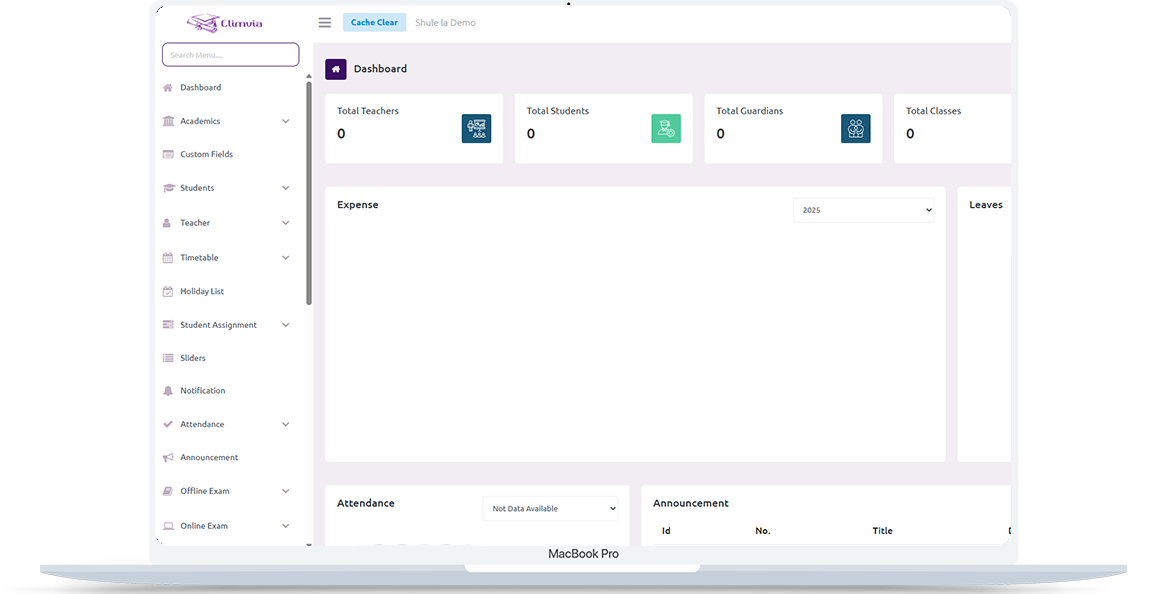
Connect grade-level administration with pathway-specific subject organisation, staff coordination and transparent assessment and reporting processes. This is an information page about the intended level-specific workflows; module availability depends on the active Elimvia release and school setup.
Senior schools serving Grades 10–12
Senior (Grades 10–12)
Connect grade-level administration with pathway-specific subject organisation, staff coordination and transparent assessment and reporting processes.
The following areas explain the administrative and academic needs this LMS level is designed to support. Features being customised are not represented as already deployed.
Organise senior school enrollment, Grades 10–12 and relevant student administrative details.
Structure STEM, Social Sciences, and Arts and Sports pathways and institution-specific subject choices as the academic configuration is completed.
Allocate specialist teachers, subjects and class schedules by grade, pathway or stream.
Maintain relevant assignments, assessment records, progress reviews and reports according to school requirements.
Coordinate daily attendance, communications, student welfare records and important events.
Keep payment records, staff responsibilities and reporting in the authorised school workflow.
A practical view of how an institution might organise operations from initial setup to regular reporting. Exact steps and menus vary by the modules enabled.
Set up Grades 10–12, pathways, academic sessions and school roles.
Allocate subjects and staff responsibilities to the relevant pathway or class.
Maintain attendance, assignments, assessments and academic notices.
Prepare appropriate grade, subject and student progress summaries.
Different user roles have different responsibilities and should only access information permitted by their institution.
Control pathway setup, staffing, school terms and administration.
Manage subjects, learning activities and assessment evidence.
Access appropriate schedules, school notices and learner reports.
A realistic example of the decisions an institution needs to make. This describes a recommended workflow, not a claim that every module is currently released.
A Grade 10 cohort may include learners taking different subject combinations. The school must first establish which pathways and subjects it is authorised and equipped to offer, then align timetables, teachers and available learning spaces with each group.
Throughout the term, teachers record attendance and learning evidence by subject. School leadership reviews participation, subject progress and resource gaps, while learners and guardians receive appropriate academic guidance. National placement and certification remain outside any school-managed LMS.
Senior-school information should reflect the school’s actual pathway and subject offerings, not a generic list of subjects applied to every student. These are planning priorities; confirm which reports and record types your deployed LMS modules support.
Build the academic structure around approved school offerings.
Link evidence to the right subject and reporting period.
Help leaders see academic and operational needs.

Inventory the pathways and subject combinations your institution offers, teacher capacity, rooms and equipment. Validate rules for allocating each student to the subjects they study.
Confirm current assessment and reporting workflows against official curriculum and examination guidance; the LMS should not claim to perform official learner placement, examination certification or government approvals.
Senior uses an independent Elimvia LMS environment, with specialist academic customisations subject to release verification.
Visit Elimvia LMSAnswers about the Senior education level, institution onboarding and functionality.
Yes. It is intended for Senior School administration at Grades 10–12.
Pathway and subject-combination structures are part of the level-specific customization scope. Request confirmation of the exact deployed features.
No. The seven education levels operate with independent LMS backends and isolated authentication contexts.
Access should be restricted by the selected LMS, institution and authorised user role; final access controls must be verified in deployment testing.
Kenya’s CBE framework identifies STEM, Social Sciences, and Arts and Sports. Each school should configure only its approved offerings and valid subject combinations.
No. A senior-school setup should account for pathway choices and differing subject combinations when planning timetables, teachers and progress reporting.
No such government integration is claimed here. National placement, assessment and certification follow the relevant authorities and official systems.
Choose the education environment that matches your institution. Each level has its own academic focus.
Prepare pathway, subject-combination, learner and timetable records.
Guidance only; confirm available LMS features before deployment.
Tell us about your institution, the courses or grades you manage and the academic and administrative workflows you need. We can explain the available release and onboarding options.
Contact Elimvia